Vyřešeno Ran into an issue, but maybe a bug? maybe procedure also?
Komentáře
It looks like I was able to…
It looks like I was able to dispatch the flight again. My question now is, what happens when a flight gets voided, do you suffer any penalties? Maybe I am misreading the word voided, as being permanently done, when it just means the session itself is voided? My main worry, is being penalized after suffering an incident beyond your control.
I was able to dispatch the…
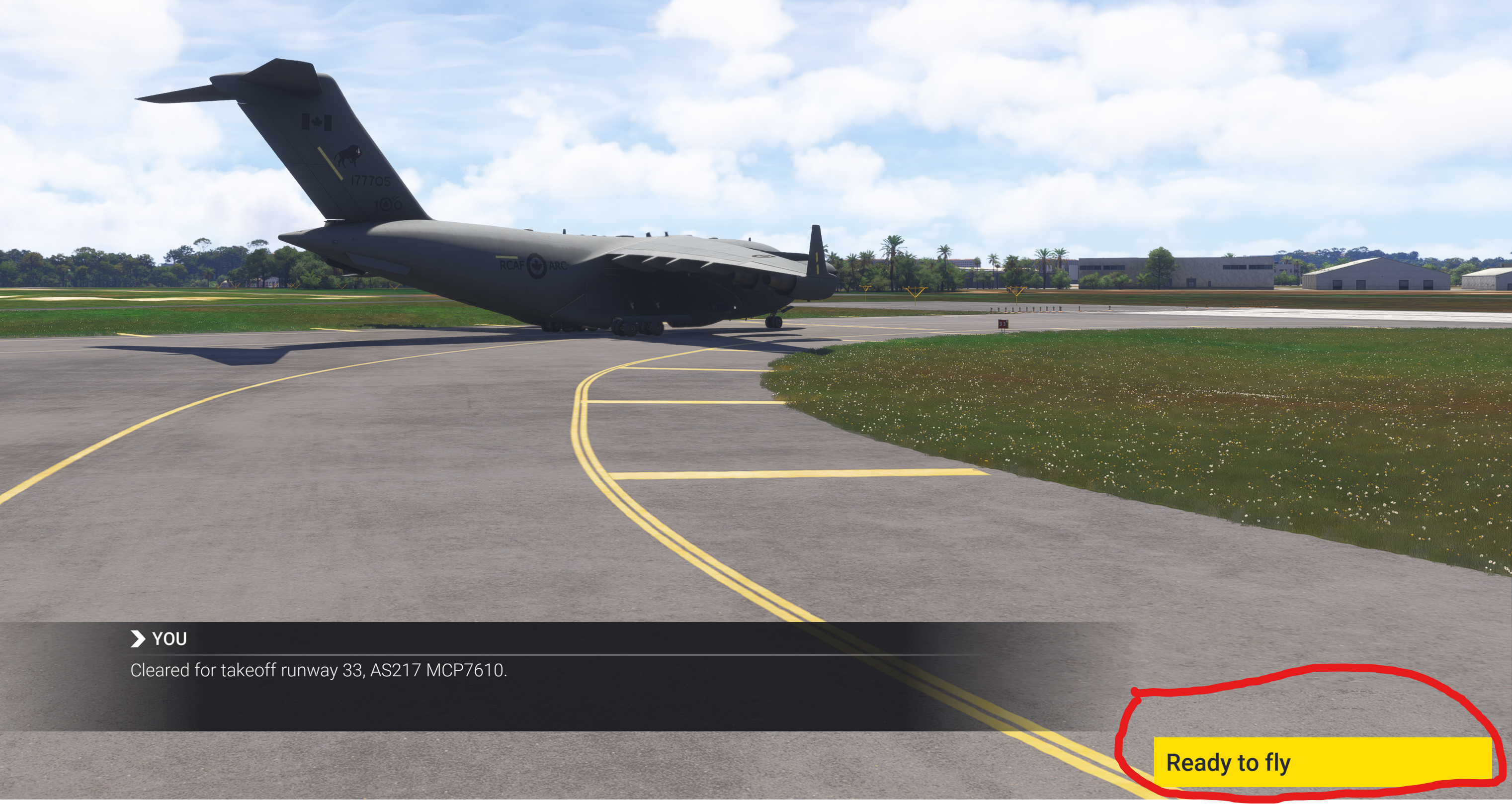
I was able to dispatch the flight again, and it seemed to work properly. I feel like the Tracker needs to be opened AFTER you load the scene (Airport) and click on READY TO FLY, for MSFS24 users (Possibly MSFS2020 also). I am very used to other 3rd party flight sim tools mentioning that if there is something tracking, it should be started after MSFS is loaded, and pressing the READY TO FLY button. My experience matches this with LittleNavMap, as well. If I recall, X-plane keeps current location tracking at all times, even after leaving the sim entirely, and starting it up again, whereas MSFS does not. I believe with MSFS, it does not send accurate information until after the READY TO FLY button. Perhaps there might be a way to have the tracker disregard information until that time? or increase thresholds until then?
Attached is screenshot showing the "READY TO FLY" button for clarity.
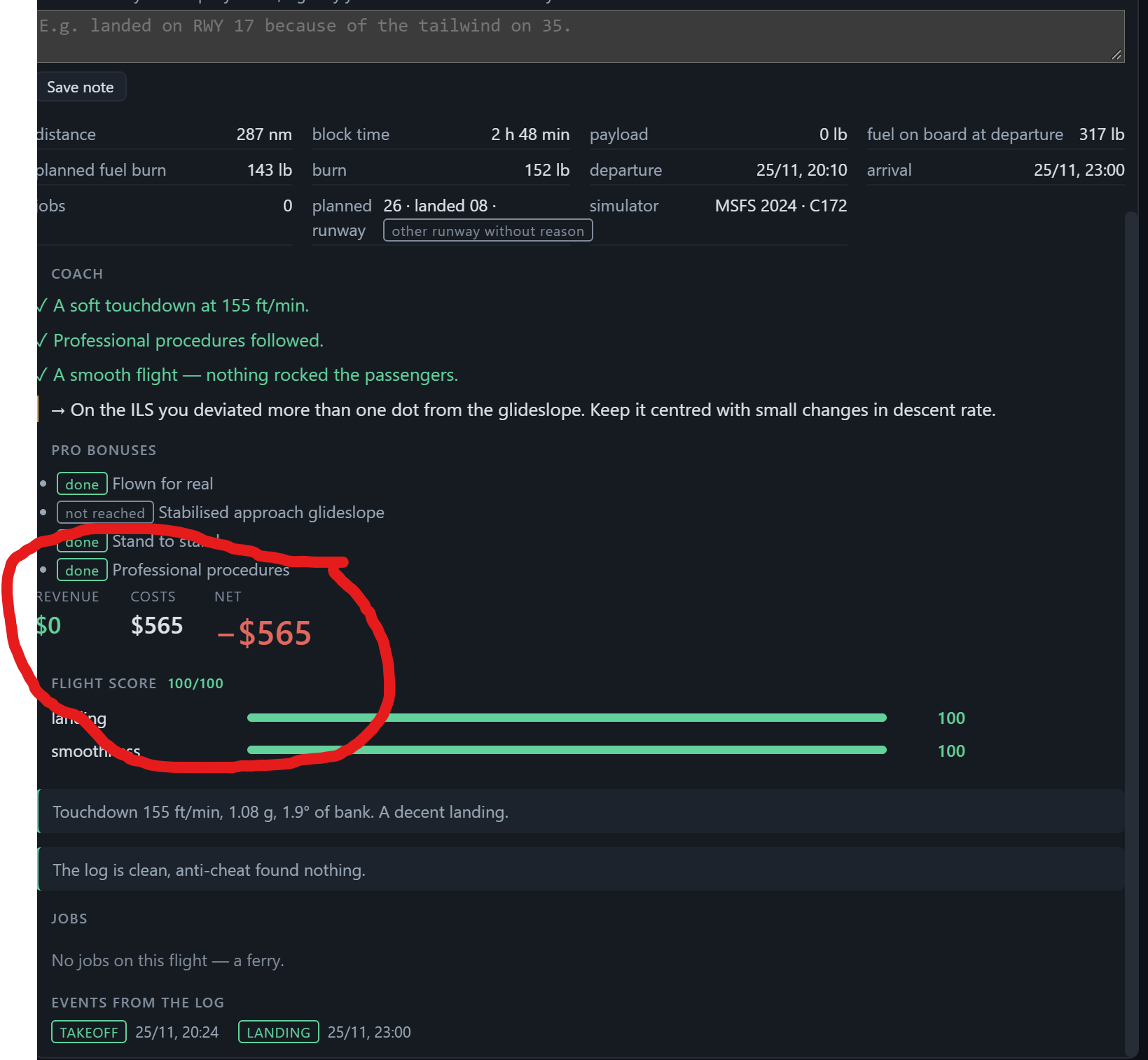
Secondly, because my Nvidia Driver crash ruined my original session, and the flight was voided, restarting it may have caused some issues overall with the job expectations? I ferried the flight personally from WMSA → VTST, and thought I would get a monetary bonus, but looking through the logbook and ledger, it appears the flight cost me $565 dollars, which I don't know if I procedurally did something incorrectly, or if the previously voided flight messed things up?!
Attached is screenshots showing the logbook and ledger.
While looking at the ledger, I put some strings that show up in the ledger, that look like something also is possibly wrong in the ledger.

Označeno jako řešení
Tracker 0.11.7 and ledger fixes
Thanks for the detailed write-up, it made the cause clear.
- Voided flight: a voided flight costs you nothing — no reputation and no money. The aircraft goes back to the departure airport and the jobs back to the board.
- Tracker 0.11.7 (it updates itself after you close it): before takeoff it no longer records a position far from the departure airport. MSFS loading somewhere over the ocean before “Ready to fly” will not void the flight any more — the tracker waits until the aircraft is at the departure. You can keep it running in the background.
- The $565: those were the costs of the ferry flight; the ferry bonus is paid together with the mission delivery, and the mission was cancelled by the Cancel button (see your other thread). We have credited the bonus.
- Ledger: costs now show the route instead of the flight ID, and the reward lines are translated.
When you have the details about the tracker window jumping on top after takeoff, please post them here.
Česky:
Díky za podrobný popis, příčina z něj byla jasná.
- Zrušený let: zrušení tě nic nestojí — ani pověst, ani peníze. Letadlo se vrátí na letiště odletu a zakázky na burzu.
- Tracker 0.11.7 (aktualizuje se sám po zavření): před vzletem nenahrává polohu daleko od letiště odletu. Načtení MSFS kdesi nad oceánem před „Ready to fly“ už let nezruší — tracker počká, až bude letadlo na odletu. Klidně ho nech běžet na pozadí.
- Těch 565 $: to byly náklady přeletu; bonus za přelet se vyplácí s doručením mise a ta se zrušila tlačítkem Cancel (viz tvé druhé vlákno). Bonus jsme ti připsali.
- Kniha: u nákladů je teď trasa místo čísla letu a odměny se překládají.
Až budeš mít podrobnosti k oknu trackeru, které po vzletu vyskočí nad simulátor, napiš je prosím sem.
Thank you as well, for the…
Thank you as well, for the detailed answer, this all makes perfect sense. I will post if I notice the tracker is jumping ahead to the foreground. Thanks!
TRACKER: 0.11.6
MSFS24
Mission type: Humanitarian but can happen to any flight
I had another Nvidia Driver crash when importing a PLN file generated by AirEconomy. This particular crash has happened with other applications as well, such as OBS Studio when using an XR plugin to record MSFS24, so its not new to AirEconomy. This isn't where I am having the problem with AirEconomy. What happens is the tracker detected the crash, and said it saved the flight, and to reconnect at the designated airport. When MSFS24 starts, its in the middle of the ocean somewhere, it never saves your last location. I know this from connecting via Little Nav Map, its always in the same spot in the middle of the ocean somewhere when connecting. When I went to setup my flight again, I forgot the tracker was running in the background, as I usually start the tracker after the airframe is on the ground, at designated airport, and hitting FLY after the loading title screen. The tracker detected a slewing event and voided the flight, even though the aircraft is on the ground, at the designated location.
I am not sure, if the tracker should just always be not running, until the flight is ready to go, OR if this is something that could be modified to prevent this from happening? I believe X-plane always maintains a saved location of your last airframe/flight so its much more tracker friendly? I am willing to provide more info, and should be able to reproduce this, if anything can help, let me know. I will add as much images and data as possible. Screenshot shows the plane, at its designated location, ready for pre-flight with the tracker showing it has slewed.